
Kontenum Storage API
Overview
Kontenum's object storage service is built to be 100% bit-compatible with AWS S3. This means any existing AWS S3-compatible application, SDK, or gateway device will work seamlessly with Kontenum.
In some cases, Kontenum provides additional functionality or implements certain behaviors differently from AWS S3. This document highlights those differences and explains how to use the Kontenum S3 API effectively.
Because of this compatibility, AWS S3 documentation should be treated as a complementary reference when working with Kontenum.
Reference Specifications
The AWS S3 capabilities referenced in this guide are based on:
- API Version: 2006-03-01
- AWS Reference: Amazon Simple Storage Service API Reference
Throughout this guide:
- "Kontenum" refers to Kontenum S3 functionality
- "AWS S3" refers to the original AWS S3 API behavior
API Limitations
Please note that Kontenum S3 API has certain limitations compared to AWS S3. These are intentional design choices aligned with Kontenum's CDN‑origin use case.
Access Keys and Authentication
Generating Access Keys
You can generate, view, rotate, and delete access keys through the Kontenum Console → Storage Access Keys section.
📌 Note: Each account can have a maximum of two active access keys at any given time.
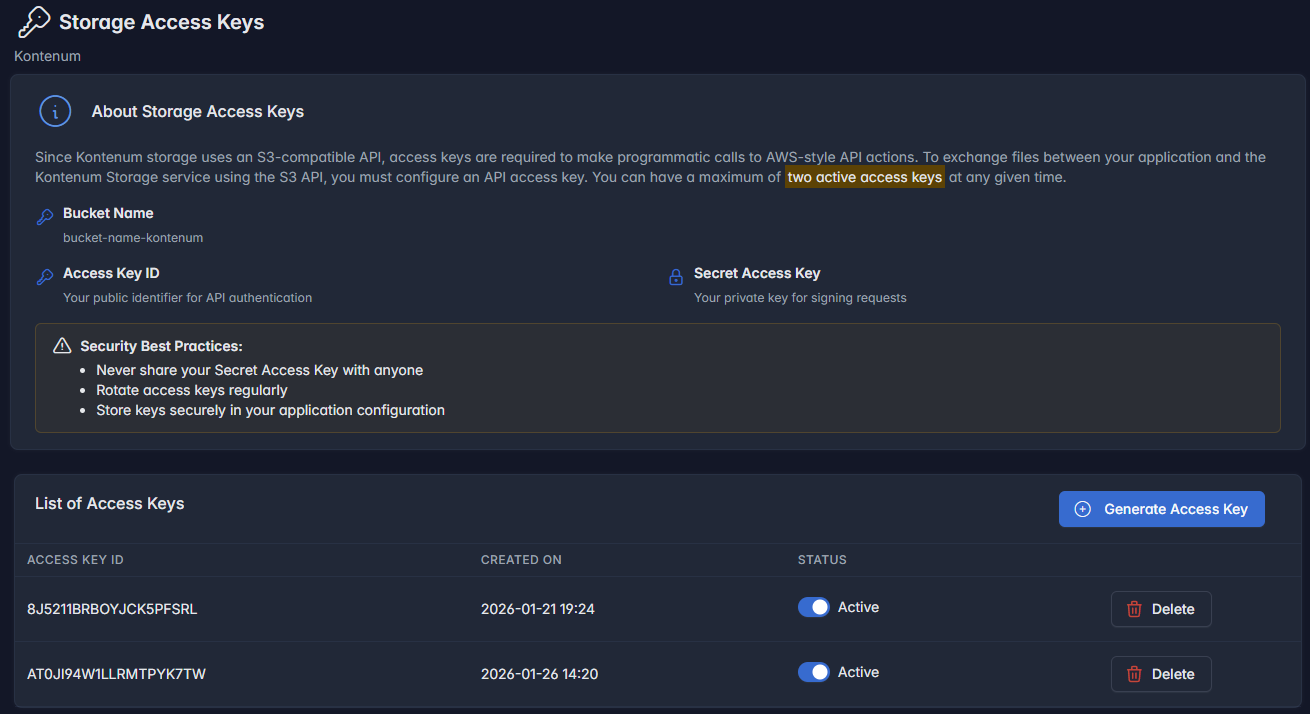
Tips:
- Store your Secret Access Key securely, as it is only shown once during key creation.
- Rotate keys regularly for enhanced security.
- Delete unused keys to minimize security risks.
- If you want to rotate your keys, you should first create a new key, update your applications to use the new key, set old key inactive, monitor your applications, and then delete the old key.
Authentication Method
All API requests are authenticated via the Authorization HTTP header.
Format:
Authorization: <ACCESS_KEY>:<SECRET_KEY>
Both the Access Key and Secret Key are required to sign requests.
Security Best Practices
- Never share your Secret Access Key with anyone
- Rotate access keys regularly
- Store keys securely in server-side configuration
- Do not embed keys in browser-side JavaScript or other untrusted environments
Protocol Support
Kontenum S3 supports:
- HTTP
- HTTPS (recommended for production environments)
Choose the protocol that best fits your security and performance requirements.
Access Control Behavior
Read Access Restriction
GetObject (READ access) is disabled via the S3 API.
This is by design, as Kontenum Storage is optimized for CDN origin use cases.
You can still:
- Download objects using the Storage Explorer feature in the Kontenum Console
Host Designation
Kontenum supports both AWS S3 request styles:
- Path-style requests
- Virtual-hosted–style requests
Example host:
s3.kontenum.com
Recommended Style
Kontenum recommends path-style requests for maximum flexibility:
https://s3.kontenum.com/my-bucket/my-object
Path-style avoids domain and certificate limitations related to bucket naming.
Error Responses
Wherever possible, Kontenum returns identical error responses to AWS S3, ensuring compatibility with existing AWS S3 tooling and SDKs.
Request Signing and Authentication
Kontenum supports the same request signing mechanisms as AWS S3:
Supported Signature Versions
- Signature Version 2
- Signature Version 4
Both header-based and query-parameter–based signing are supported.
Signature Version 4
- Offers stronger security
- Requires SHA256 hashing
- Slightly higher compute cost
- All regions are supported
- Default AWS region:
us-east-1
Recommended for security-sensitive workloads.
Signature Version 2
- Faster signing and verification
- Suitable for performance-critical applications
- Data integrity can be verified using the returned ETag (MD5 hash)
Additional Subresource Parameters
Kontenum extends Signature Version 2 with additional query subresources:
appendcomposeforce_delete=true
These parameters apply to:
PutObjectDeleteBucket
When using Signature Version 2, these subresources must be included in the signing calculation.
Unsupported Operations
Kontenum does not support:
- Browser-based uploads
- HTML form–based S3 uploads
These operations are intended for web page workflows, which are not currently supported by Kontenum.
Summary
Kontenum S3 is fully compatible with AWS S3 while being optimized for CDN-origin workloads. Existing AWS S3 applications can be used with minimal or no changes, while keeping in mind Kontenum's specific access restrictions and signing behaviors.
For general S3 usage patterns, always refer to official AWS S3 documentation alongside this guide.